The SDI monitor port can be configured as a shared resource for all decoded HD services of the Contribution decoder. The monitor port has the same configuration options as a standard SDI output port. Each decoded service can configure the output port as required.
Before you start, ensure at least one Receiver service is configured.
1. From the **Home** page, select the **RECEIVER** item from the required feed then click `Edit` icon.
2. From the **Parameters** section, select the **Output** tab.
3. Click + to add an SDI output.
4. Select the **SDI port 0 shared** for **Output interface**.
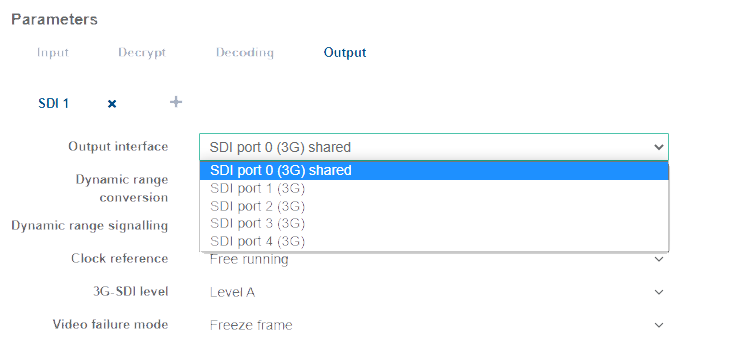
5. Configure the output port as required. See [Configure the output](/traditional-products-and-appliances/components/receiver/output) for how to set the output options.
6. The **Output status** panel displays the current service using the monitor port. Pressing the **Grab** button switched the monitor to output the currently viewed service.
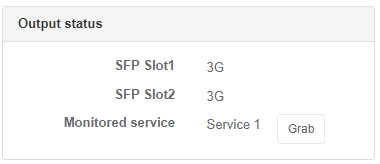
7. The monitor port can be switched off by viewing the **Output status** of the service using it and pressing the **Release** button.
## Configure multiple SDI outputs on an HD service
It is possible to add multiple HD SDI outputs to a single decode up to a maximum of 4 main outputs plus a single monitor port, if no other decode is currently running on the unit.
When a service is created a single SDI output is automatically assigned.
1. From the **Home** page, select the **RECEIVER** item from the required feed then click `Edit` icon.
2. From the **Parameters** section, select to **Output** tab.
3. Click + to add an SDI output.
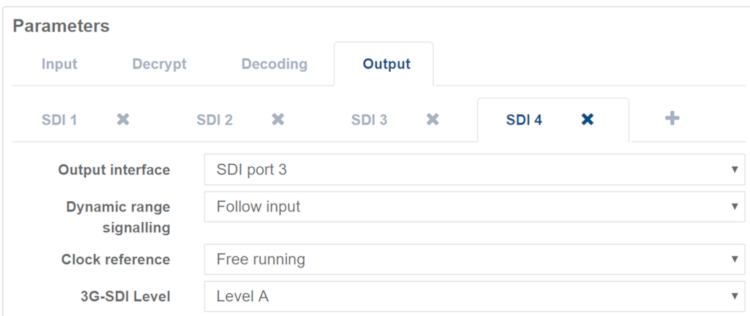
4. Select the **Output interface**.\
If another service is already using this interface when you try to start the service then it will be blocked from starting until:
- an unused port is selected for the new service, or
- the current running service is stopped, or
- the service is reconfigured to avoid a clash, or
- the added Output interface is deleted. If the service is blocked from starting for this reason, then the alarm icon displays the following alarm: `Insufficient Resources – SD 1 already in use`.