NoteTo configure the Satellite modulator option card, follow these steps: 1. Create a new feed based on the **Live Encoder + Multiplexer + Satellite Modulator** template. 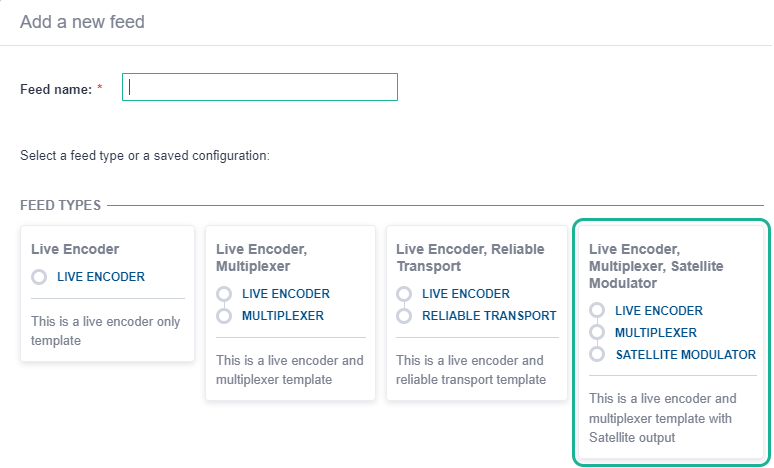 2. On the new feed card, select `Edit` icon next to the **Satellite Modulator** component within the CE1 feed. 3. Log in as an administrator: 1. Navigate to the **System** menu, then go to the **Admin** sub-menu. 2. Enter the Satellite Modulator administrator credentials for your unit. 3. Select the green tick in the top right corner. ## Configure modulation settings To configure modulation settings, go to **Settings** then **Modulation**: 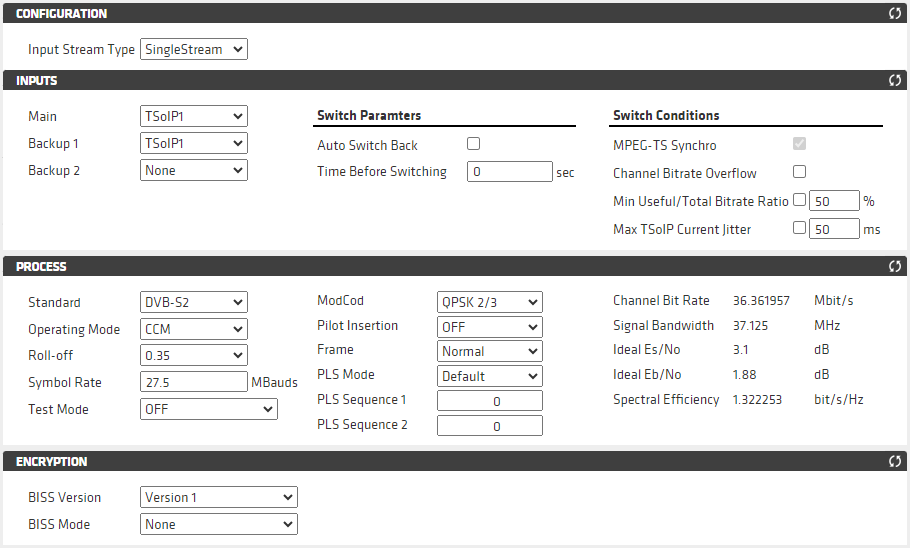 ## Configure RF output parameters To configure RF output parameters, go to **Settings** then **Outputs**: 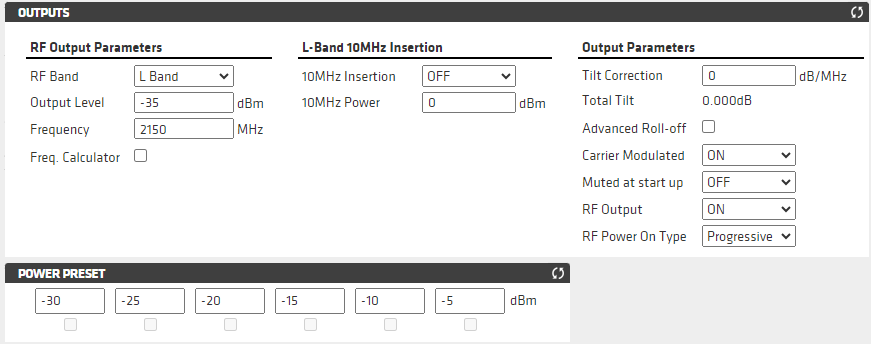 Enabling or disabling the RF output must be done on the **Outputs** menu. - To disable the RF output, set the **RF Output** setting to **OFF**, then click on the green tick in the top right corner. - To enable the RF output, set the **RF Output** setting to **ON**, then click on the green tick in the top right corner.On first usage, the Satellite Modulator settings will be read-only. To edit modulation parameters, you must log in to the Satellite Modulator card as an administrator. Note that it is possible that after a time the administrator user will be logged out. If that happens, you will need to log in as an administrator again to be able to edit settings.
NoteStarting and stopping the feed on the CE1 home page does not change any modulation parameters or enable or disable modulation.