
There are different industry standards for HDR. The standard to be transmitted must be signaled in the video output to display the output in the correct format, and for video monitoring purposes. The settings are either extracted from the data in the incoming transport stream, or configured manually in the User Interface.
Applied standards:
| Dynamic range type | Resolution | Industry standard applied |
|---|---|---|
| SDR | SD and HD | ITU-R recommendation BT.709 |
| HDR | SDR UHD (3804 x 2160 pixels) | ITU-R recommendation BT.2020 |
The 2 main HDR standards used today are PQ10 and HLG10.
To manually set the standard to be used for SDR or HDR signaling follow the steps below:
-
From the Home page, select the RECEIVER item from the required feed then click
 .
-
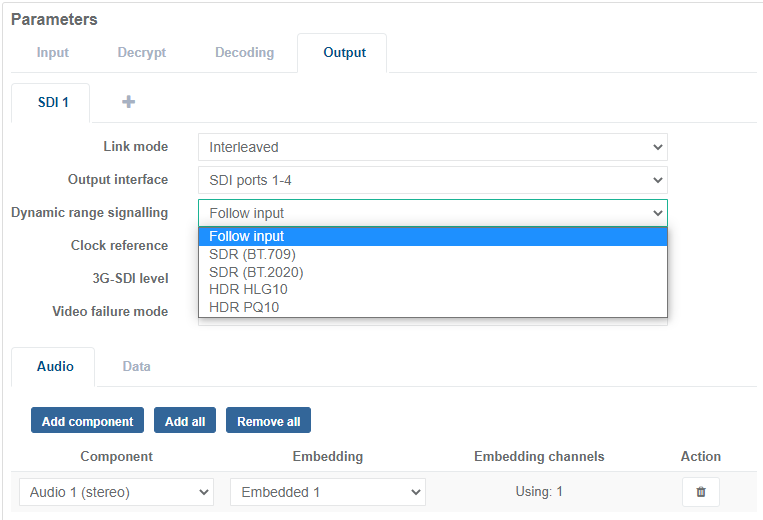
Select the Output Tab in the Parameters window. The Dynamic range signalling control is displayed under the SDI tab.
-
Select a signaling option. The selected SDR/HDR signalling is inserted into the SDI output.
- Select Follow input to extract the video format from the incoming transport stream and to signal into SDI output.
- Select an SDR or HDR standard to override the incoming format set in the transport stream.
See also
SDI output parameters and status