
The following sections explain the basic configuration for the Multiplexer component. For advanced configuration, especially BISS-CA output transport stream, see Configuring a BISS-CA output transport stream.
To configure the Multiplexer, follow these steps:
-
Click the
 icon next to the Multiplexer component within the feed. The Multiplexer settings open.
-
From the Stream processing tab, you can see that a service has already been created. Select this service.
-
Go to the Properties > Output section and enter a service name.
Configure the Mux
To configure the Mux, follow these steps:
-
From the Stream Processing tab, click Transport stream.
-
Go to the Properties > Mux sub-tab:
- Check the Total Bitrate. If needed, you can modify it.
- To minimize the delay through the chain, set the following parameters in the Advanced settings section:
- Input jitter buffer latency to 40 ms
- Scrambling latency to 10 ms
-
From the Properties > Output sub-tab, check the pre-defined parameters.
-
Click Save and continue to save your changes.
Configure the encryption (scrambling)
To configure the encryption, follow these steps:
-
Go to the Scrambling tab:
- Drag and drop the service under the Scrambling Groups tree.
- Click the scrambling group to configure the encryption parameters as required. Some parameters appear in the Advanced settings.
-
Click Save and exit to save and finalize your service configuration.
ASI output Latency
The ASI output buffer latency on the Dektec 2174b card can be configured manually when using the Live Encoding + Multiplexer feed type.
To configure the ASI output buffer latency, follow these steps:
-
From the Stream Processing tab, click Transport stream.
-
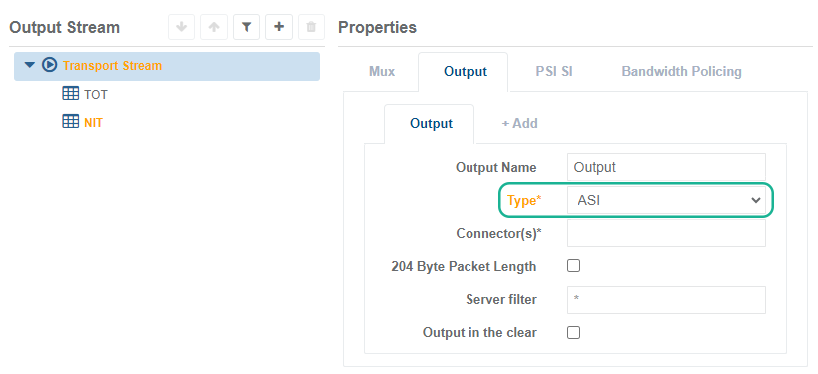
Go to the Output tab then check that ASI output type is selected in the Output tab:
-
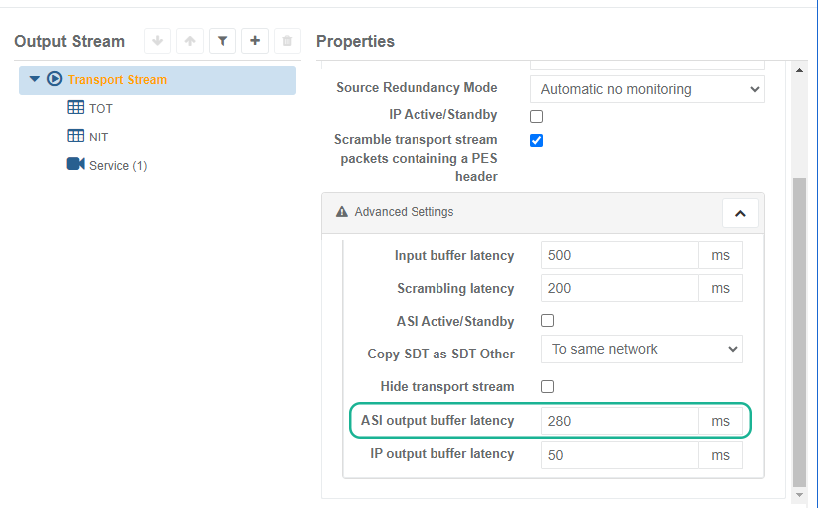
Go to the Mux tab then unfold the Advanced Settings submenu. You can set the ASI output buffer latency.
Latencies below 50 ms are not recommended.
-
Click Save and continue to save your changes.