
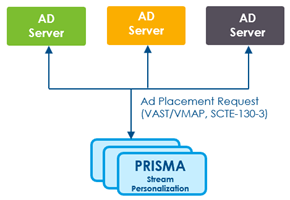
Stream Personalization can be connected to multiple ADS servers.
To send the placement request to the right ADS server, Stream Personalization implements routing policies on a variety of parameters, namely:
- URL path
- Query parameter
- HTTP header
- In-manifest splice information
To create a routing policy, follow these steps:
-
You have started configuring the ad decision server general parameters.
-
Go to the Filter tab.
-
Select Add to add a routing policy for configured ADS server.
-
Configure the following settings.
Parameter Description Type Select the type of data on which routing policy is going to apply:
- URL: leverage URL path to manage ADS routing based on channel name for instance (assuming channel name is part of the URL path).
- Query parameter: manage request routing based on manifest URL query parameter.
- HTTP header: leverage HTTP header from the HTTP manifest request.
- Splice info: leverage in-manifest splice info.
Routing example
Assuming the following player manifest request:
http://cdn.example/hls-live/myChannel/index.m3u8?uid=1234&did=iOS&stype=live
Route the placement request to this ad server when both conditions match.
- URL path contains myChannel
- Manifest request contains stype key with value live
Set the URL path filter to match myChannel and the query parameter filter to match stype=live.