
Use the CE1 home page to start and stop feeds and check running services, warnings, and alarms.
Home page
The Home page shows a card for each feed. Use Add feed to create one or Manage Configurations to work with saved configurations.
Feed monitoring panel
Each feed card shows the feed name, preview, components, and component actions.
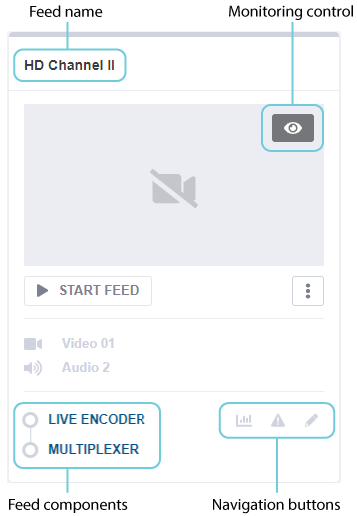
A stopped feed shows START FEED. A running feed shows STOP FEED, with a green bar when there are no alarms or a red bar for a critical alarm. See Monitor feed alarms for component details.