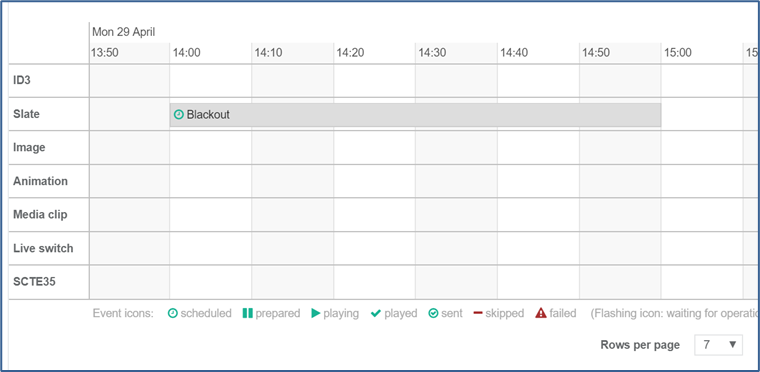
Once the connection to SCTE 224 database has been configured, and operations mapped against those SCTE 224 events, Prisma Stream Conditioning service will automatically create and store the operations/actions into its scheduling & control database.
Open the timeline using either of these controls:
- The clock icon at the top right of the Stream Conditioning configuration page.
- The clock icon in the Actions column for the started service.
Matching events from the SCTE-224 database appear as operations on the timeline.