
Drop IP/ASI output on input loss
MK.IO Beam can be configured to drop IP/ASI output on input loss. This can be configured for Live Encoder + Multiplexer feed templates.
To configure this, follow these steps:
-
For the Live Encoder:
-
Go to the feed card then edit the Live Encoder by clicking next to the LIVE ENCODER component within the feed.
-
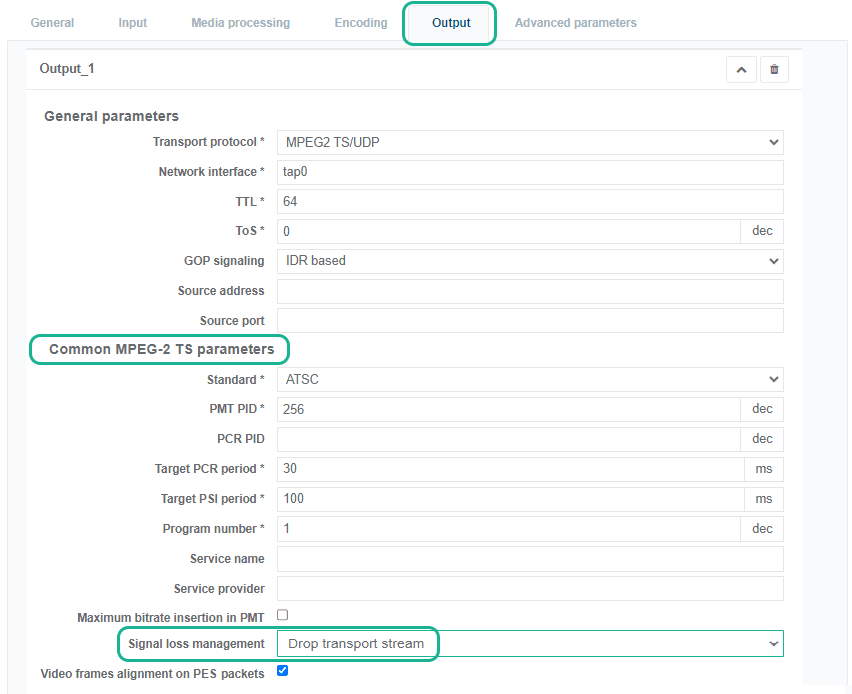
Click the Output tab then click to edit the output.
-
In the Common MPEG-2 TS Parameters section, set the Signal loss management to Drop transport stream.
-
-
For the corresponding Multiplexer:
-
Go to the feed card then edit the Multiplexer by clicking next to the MULTIPLEXER component within the feed.
-
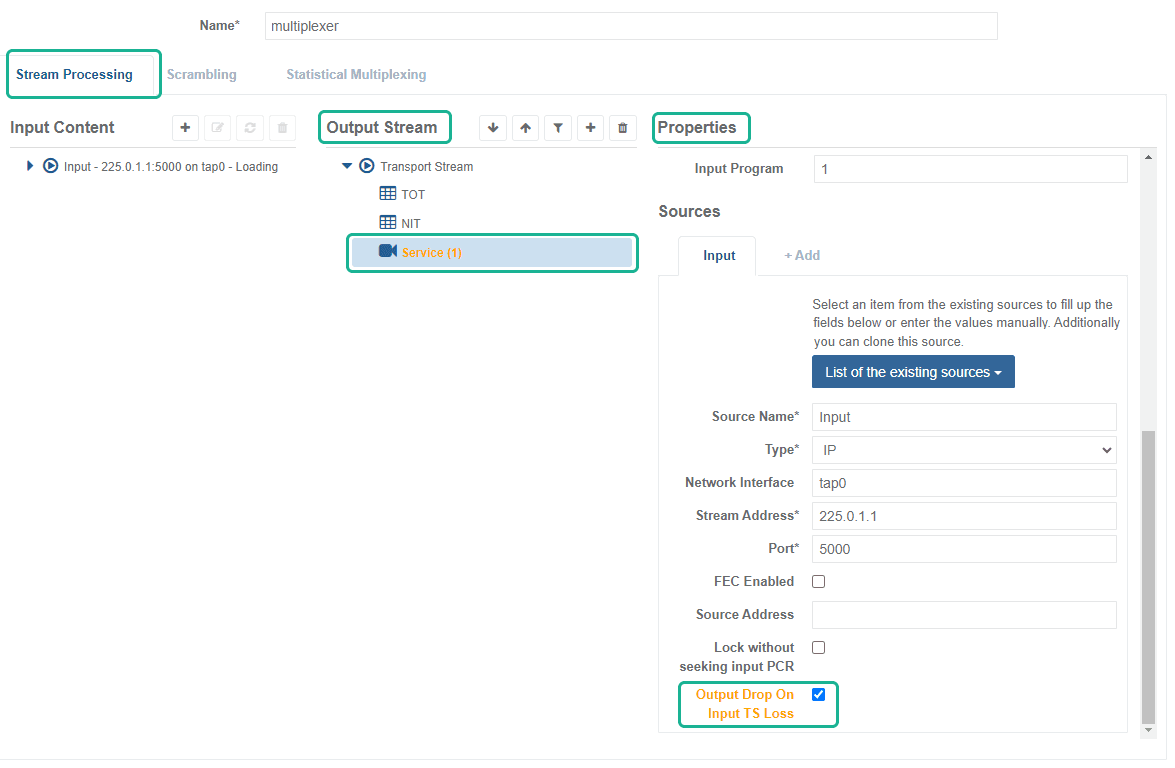
From the Stream Processing tab, click Output stream > Service (x).
-
Go to the Properties > Sources sub-tab then tick the Output Drop On Input TS Loss checkbox.
-