
BISS-CA Decryption
A Trusted Platform Module (TPM) must be fitted. If not fitted, the BISS-CA functionality will be hidden. Please contact MediaKind Customer Support on how to check this.
BISS2 mode CA, or BISS-CA (as specified in EBU Tech 3292-s1 Version 1.0 March 2018) is an extension to BISS2 which replaces the fixed Session Word (SW) used to descramble an incoming feed with a cycling Session Word that is transmitted in the transport stream using Entitlement Control Messages (ECMs).
Receivers may be entitled by the headend to decrypt the cycling Session Words via an intermediary Session Key (SK) which are transmitted in the transport stream using Entitlement Management Message (EMMs).
Entitlement of the receiver is handled through public/private key cryptography where the public and private keys are both known to the receiver and only the public key is known to the headend. For each entitled receiver, the SK is encrypted using the receiver’s public key.
BISS-CA Key Types
The receiver component supports the following BISS-CA features:
- Self-generated key pair
- Injected key pair
Multiple Self-Generated Key Pairs and/or Injected Key Pairs can be stored on a single unit. This allows the receiver operator to switch the unit between headend scramblers without having to reload or regenerate the key pairs.
For all key pair types, you can export the public key from the receiver and provide it to the Content Provider, who will issue the entitlements.
Managing BISS-CA Keys
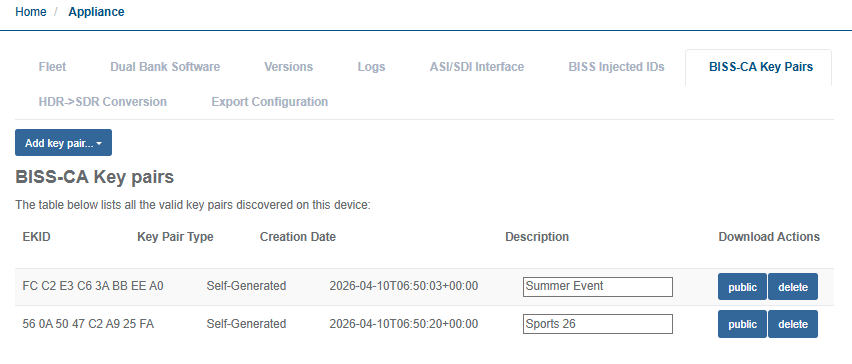
You can view the BISS-CA keys currently stored on the unit in the BISS-CA Key Pairs table found in Appliance section from the Beam web UI (see Display BISS-CA key pairs table)
The BISS-CA Key Pairs table will list the following information:
-
EKID: This is the Entitlement Key ID derived from the key pair stored on the unit. It will be unique to the key pair and may be used to reference or identify the key pair when communicating with the Content Provider.
-
Key Pair Type: This indicates the Key Pair Type as either Self-Generated or Injected.
-
Creation Date: The date when the key pair was generated or imported on to the unit.
-
Description: A text field that the operator can optionally fill to help identify what the key pair is used for such as, name of content provider, event name, etc. This field has no effect on the operation of BISS-CA decryption.
-
Download Actions: The download actions available for the key pair vary according to the key pair type:
- Public: Download the public portion of the key pair
- Delete: Remove the key pair from storage on the unit
Display BISS-CA Key Pairs table
To navigate to the BISS-CA Key Pairs table, follow these steps:
-
Select Appliance from the left-hand side menu.
-
Click the BISS-CA Key Pairs tab
Create a self-generated key pair
To create a self-generated key pair, follow these steps:
-
Click Add key Pair.
-
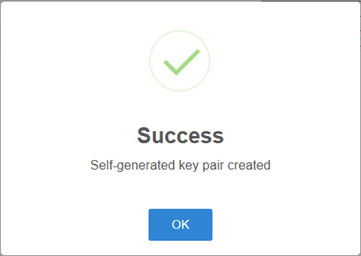
Select Self-Generated Key Pair. A pop-up window should appear stating Success.
-
Click OK to close the pop-up window. A new Key Pair entry should appear in the BISS-CA Key Pair table.
-
Enter a suitable descriptive title in the Description field to help identify what content provider this key pair will be registered to or the name of the event it will be used for.
Import injected key pair
To import an injected key pair, follow these steps:
-
Click Add Key Pair.
-
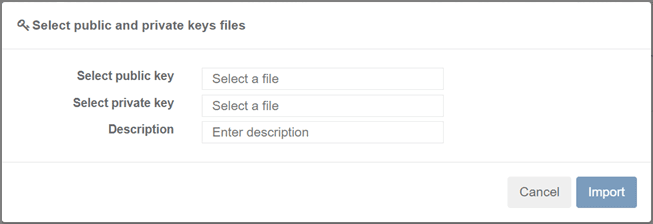
Select Import Injected Key Pair. A pop-up browser window should appear showing the required fields necessary for importing an Injected key pair.
-
Click on the Select Public Key field where it states Select a File, browse and select the file for the public key.
-
Click on the Select Private Key field where it states Select a File, browse and select the file for the private key.
-
Enter a suitable descriptive title in the Description field to help identify what content provider this key pair will be registered to or the name of the event it will be used for.
-
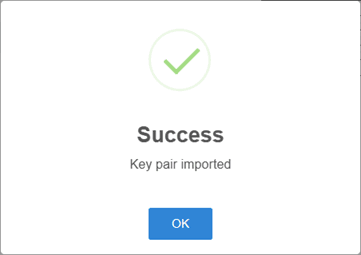
Click the Import button. A pop-up window should appear stating Success.
-
Click OK to close the pop-up window. A new key pair entry should appear in the BISS-CA key pair table.
Export the public key
To export the public key, follow these steps:
-
Locate the row with the desired key pair.
-
From the Download Actions column, click the Public button.
Remove stored key Pair
Removing a key pair is irreversible. Any service using the removed key pair will no longer be descrambled, and new entitlements must be obtained from the Content Provider (see BISS-CA entitlements).
To remove a stored key pair, follow these steps:
-
Locate the row with the desired key pair.
-
From the Download Actions column click the Delete button. A pop-up window should appear confirming the action.
-
Select Yes, Delete Key to complete the action. A pop-up window should appear stating Success.
-
Click OK to close the pop-up window.
Configuring BISS-CA Decryption
Enable BISS-CA decryption for service decode
For a service that has been configured for UHD or SD/HD, enable BISS-CA with the following steps:
-
From the Home page, select the RECEIVER item from the required feed then click to edit
-
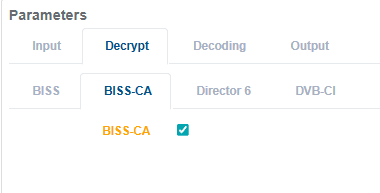
From the Parameters window, select the Decrypt tab.
-
Tick the BISS-CA checkbox to enable decryption (untick the checkbox to disable decryption).
-
Click Save and continue to save your changes.
Enable BISS-CA decryption for TS passthrough
For a service that has been configured for TS Passthrough, enable BISS-CA with the following steps:
-
From the Home page, select the RECEIVER item from the required feed then click to edit
-
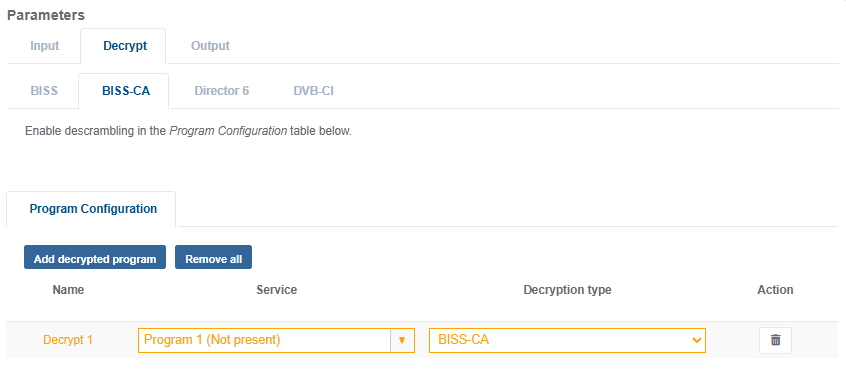
From the Parameters window, select the Decrypt tab.
-
Click Add Decrypted Program button. A new row will appear in the decryption table.
-
Set the Service to be decrypted and set the Decryption Type to BISS-CA.
-
Click Save and continue to save your changes.