
SRT input with decode and SDI output
The configuration is based on the following main steps:
- Step 1: you configure a Reliable Transport input.
- Step 2: you configure a Reliable Transport listener with UDP IP output.
- Step 3: you connect that UDP output to a Receiver service.
- Step 4: you configure the Receiver service for SDI output.
To setup this use case, follow these steps:
Configure a Reliable Transport input
Section titled “Configure a Reliable Transport input”-
Connect to the web interface then navigate to the Services menu on the left-hand pane.
-
Click Add service and select Reliable Transport to create and configure the service.
-
Enter a name for this service.
-
In the Input section, set the Input Mode to SRT Listener.
-
In the Output section, set the Output Mode to UDP.
Configure a Reliable Transport listener with UDP IP output
Section titled “Configure a Reliable Transport listener with UDP IP output”-
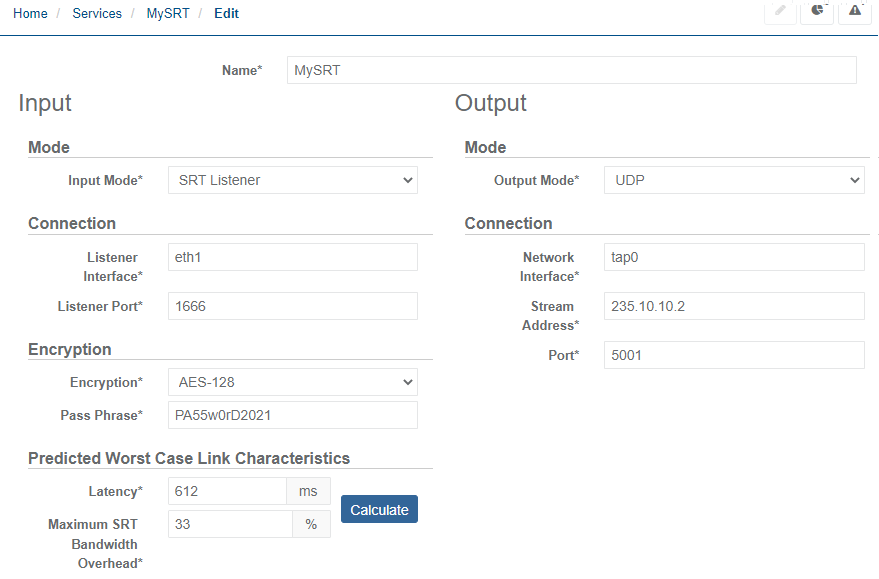
Configure the SRT Listener Connection parameters with the listener address and port. If required, then Encryption. Link characteristics parameters can also be set or adjusted.
-
Configure the Output Connection parameters. You should get the following:
-
Click Save and exit to save your changes.
Configure the Receiver service for SDI output
Section titled “Configure the Receiver service for SDI output”-
Navigate to the Services menu on the left-hand pane.
-
Click Add service and select Receiver to create a new service.
-
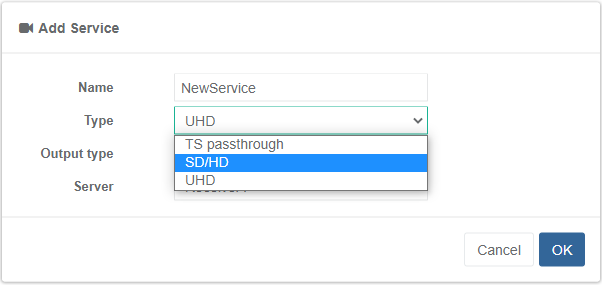
Set the Name for the new service, the service Type to SD/HD and the Output type to SDI.
-
Click OK to create the service which will now appear in the services list.
-
From the Services pane, click the service name for the newly created service to edit the configuration.
-
Select the Input tab under the Parameters section.
-
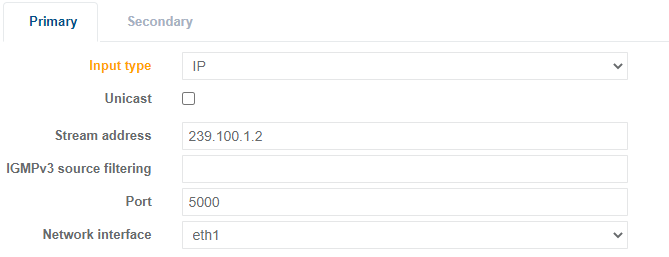
Set the Input Type to IP and configure the multicast Stream address and Port number.
-
Select the Output tab under the Parameters section.
-
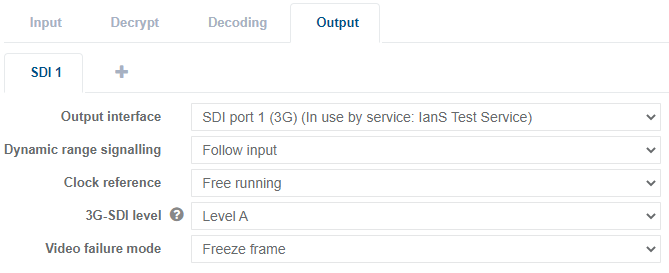
Configure SDI output parameters as required such as the SDI output port number from Output interface option.
-
Once complete, click Save and exit.
Start services
Section titled “Start services”On the Services page, assign a server to each service you want to run, then start the services.