
3G-SDI Level
Set 3G SDI output level
Section titled “Set 3G SDI output level”The 3G‑SDI output level is applicable only to 1080p video outputs, either as a standalone HD service or as part of a quad‑link 3G‑SDI 4K service.
- Level A maps the SMPTE ST 274 format directly to a 3 Gb/s serial digital interface.
- Level B Dual-Link splits the 1080p image into SMPTE ST 372 dual‑link streams and conveys them within a 3 Gb/s serial digital interface.
When 3G‑SDI Level B Dual Link is selected and the video format is 1080p or 2160p, ancillary data is inserted into the specified line number (n) of each link. For example, if Line 9 is selected for VITC, the data is inserted into line 9 of Link 1 and line 572 of Link 2.
Configuring 3G-SDI Level
Section titled “Configuring 3G-SDI Level”To set the 3G-SDI level for outputting 1080p video, follow these steps:
-
On the Home page, select the RECEIVER item from the required feed, then click
 to edit.
 -
In the Parameters window, select the Output tab.
-
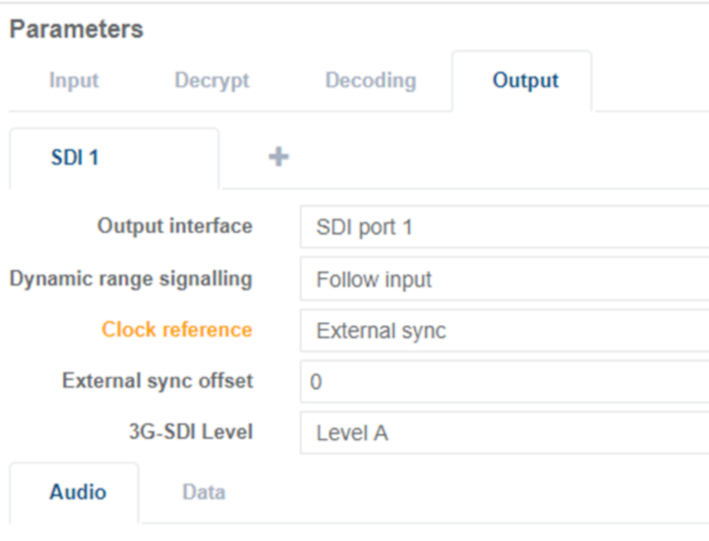
Select the tab for the SDI output type, for example SDI 1.
-
Select the required SDI output level from the 3G-SDI Level drop-down menu:
-
Click Save and Continue to apply change.