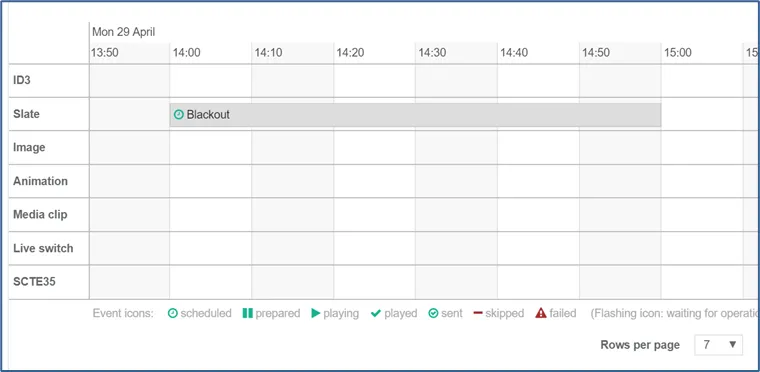
Once the connection to SCTE 224 database has been configured, and operations mapped against those SCTE 224 events, Stream Conditioning service will automatically create and store the operations/actions into its scheduling & control database.
To visualize the scheduling & control timeline, follow these steps:
-
You can either:
-
Click on the timeline button located at the top right corner of a Stream Conditioning configuration page.
-
or click on the timeline button from the Actions list of configured service.
-
As a result, when events from the SCTE 224 database match criteria configured under Stream Conditioning service, the operations will appear in the timeline.