
To configure in-band metadata input stream, follow these step:
-
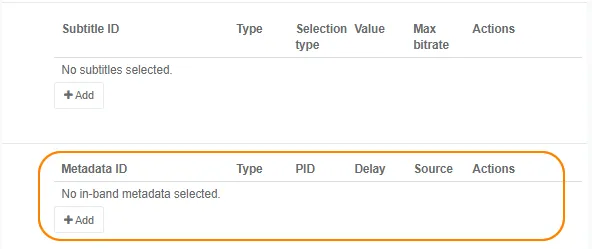
From the Input tab, go to the Input streams selection > Metadata ID section then click the Add button. The Metadata selection window displays.
-
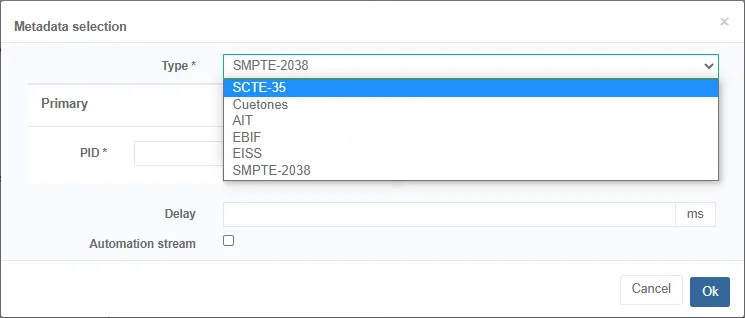
Select a Type.
-
Enter or select the following information depending on the selected type:
-
Enter a PID.
-
If you selected SCTE-35 type, you can apply a Delay.
-
If you selected Cuetones type, select the audio source that you previously created.
-
-
Click Ok to save.
- The in-band metadata stream is added to the list of metadata.
- The in-band metadata is automatically added to the Encoding tab.
-
Click Save and continue or Save and exit to save your changes.
- You can configure the metadata encoding.
- You can add the metadata to the output stream.