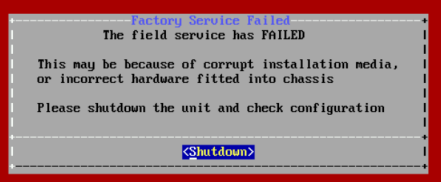
If the installation stops and this message is displayed:
Check the MD5 of the ISO file against the supplied MD5 checksum.
There are several ways to verify MD5 checksums. Please check online for a suitable method for your operating system.
Check host compatibility
Contact MediaKind to confirm that your hardware is supported by MK.IO Beam
If ISO installation fails with Chassis configuration issues relating to "RTC date/time not valid":
Check the BIOS and ensure the Real Time Clock (RTC) is set to the correct time and date.
If ISO installation succeeds but the server fails to boot to Beam software:
Check Secure boot is disabled.
Check TPM support is disabled.
Beam software uses a custom bootloader, and this requires the above BIOS options to be set.
Was this page helpful?
Thank you for your feedback.
Your feedback could not be sent. Please try again later.