
MK.IO supports the use of MediaKind software running on on-prem equipment by allowing the equipment to be registered within the platform. Once registered, the software can be monitored and controlled from MK.IO, simplifying and centralizing the management of MediaKind appliances and servers hosting MediaKind software.
The registration of on-prem equipment is handled through device resources.
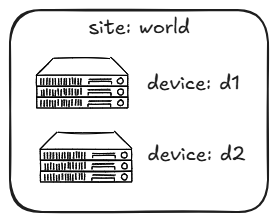
A Device refers to a VM or bare-metal server running MediaKind media processing software that is registered for control by MK.IO. The device can be either a pre-installed MediaKind appliance or a COTS server. Devices are added to on-prem sites within your organization.
Device health and status
MK.IO tracks each registered device's health from what the device last reported:
- Alarm severity: the most severe alarm currently active on the device, from
0(Clear) through1(Info),2(Warning),3(Error), to4(Critical). - Last contact: the timestamp of the device's last check-in with MK.IO, and how many seconds have elapsed since.
- Software version: the current running version, the desired version, and the rollback version available if an upgrade needs to be reverted.
- Software upgrade state:
Idle,Switching(an upgrade is being applied), orSwitchFailed.
Not every device reports every field. For example, configuration backup support depends on the device's Beam software version.
Device on-boarding
To learn more about device on-boarding, read our guide on how to on-board edge devices.
Device access
For MediaKind devices with a local web user interface, MK.IO provides remote access through a secure connection. Open the device in the MK.IO portal to access its user interface.
To learn more about accessing the remote device UI, read our guide on how to access the remote device UI.