
Billing
Use the Billing view within Organization settings to see your entitlements, review your spend, and understand your usage.
Billing information is organization-level, so the full billing view is available to Administrators only.
Open billing
Section titled “Open billing”- Select the profile menu in the top-right corner.
- Select Organization settings.
- Select Billing in the left sidebar.
If you belong to multiple organizations, switch to the correct organization before opening Billing. You will be presented with the following information:
Understanding the billing overview
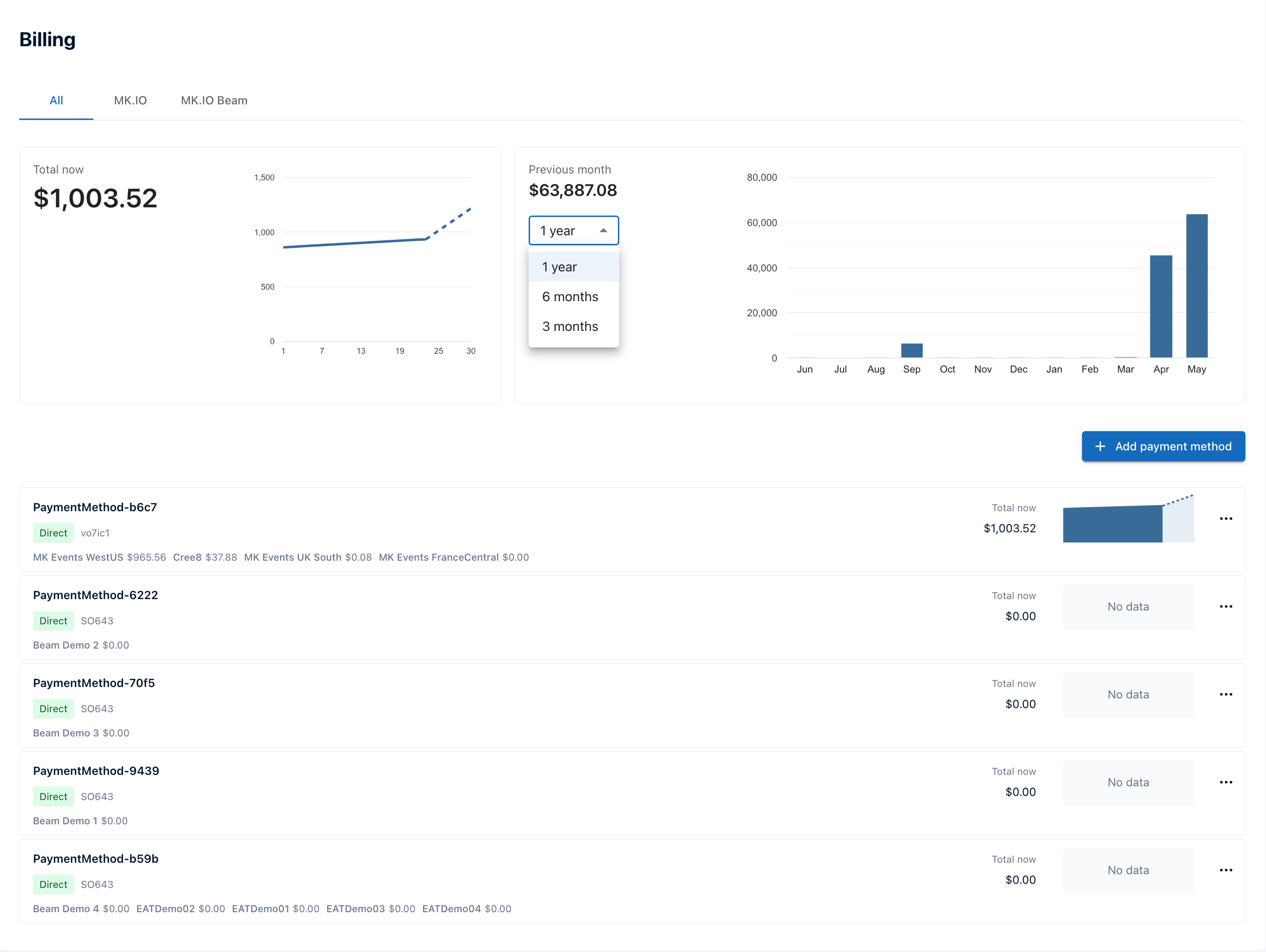
Section titled “Understanding the billing overview”The billing overview shows organization spend across projects, products, and payment methods. Use the product tabs to filter the view by All, MK.IO, or MK.IO Beam.
| Area | What it shows |
|---|---|
| Total now | The current billing-month total across the selected product view. The line chart includes a dotted estimate for the rest of the month. |
| Previous month | Previous monthly spend. Use the range selector to switch between 1 year, 6 months, and 3 months. |
| Payment method rows | Each payment method associated with the organization, with the current total, project-level amounts, and a small spend chart when data is available. |
| Add payment method | Add a new payment method via either Azure Marketplace or AWS Marketplace. |
Billing updates can take approimately an hour to appear in the overview.
Understand payment methods
Section titled “Understand payment methods”A payment method represents how your organization pays MediaKind for MK.IO services. Payment methods can represent Azure Marketplace, AWS Marketplace, or direct sale contracts with MediaKind.
Each project is associated with a payment method. An organization can have more than one payment method, and each payment method can have different projects associated with it. For more context, see Payment methods.
Each payment method can have a display name, which helps distinguish it from other payment methods associated with the same sales order, for example, when separate payment methods cover an Enterprise License Agreement (ELA) and contribution charges. Display names appear in the Name column of the payment methods list.
If you can access only some projects in an organization, the full billing page may not be available. In that case, MK.IO can show that billing is managed by another organization instead of showing organization-wide billing details.
Move a project between payment methods
Section titled “Move a project between payment methods”Organization administrators can assign an existing project to another payment method in the same organization. Use this when a billing arrangement changes, such as when you activate a private marketplace offer.
- Select the profile menu in the top-right corner.
- Select Organization settings.
- Select Projects in the left sidebar.
- Find the project you want to move. The Payment method column shows its current assignment.
- Open the three-dot menu for the project, then select Change payment method.
- Assign the project to the destination payment method.
Repeat these steps for each additional project you want to move.
View payment method details
Section titled “View payment method details”Select a payment method row to open its monthly details:
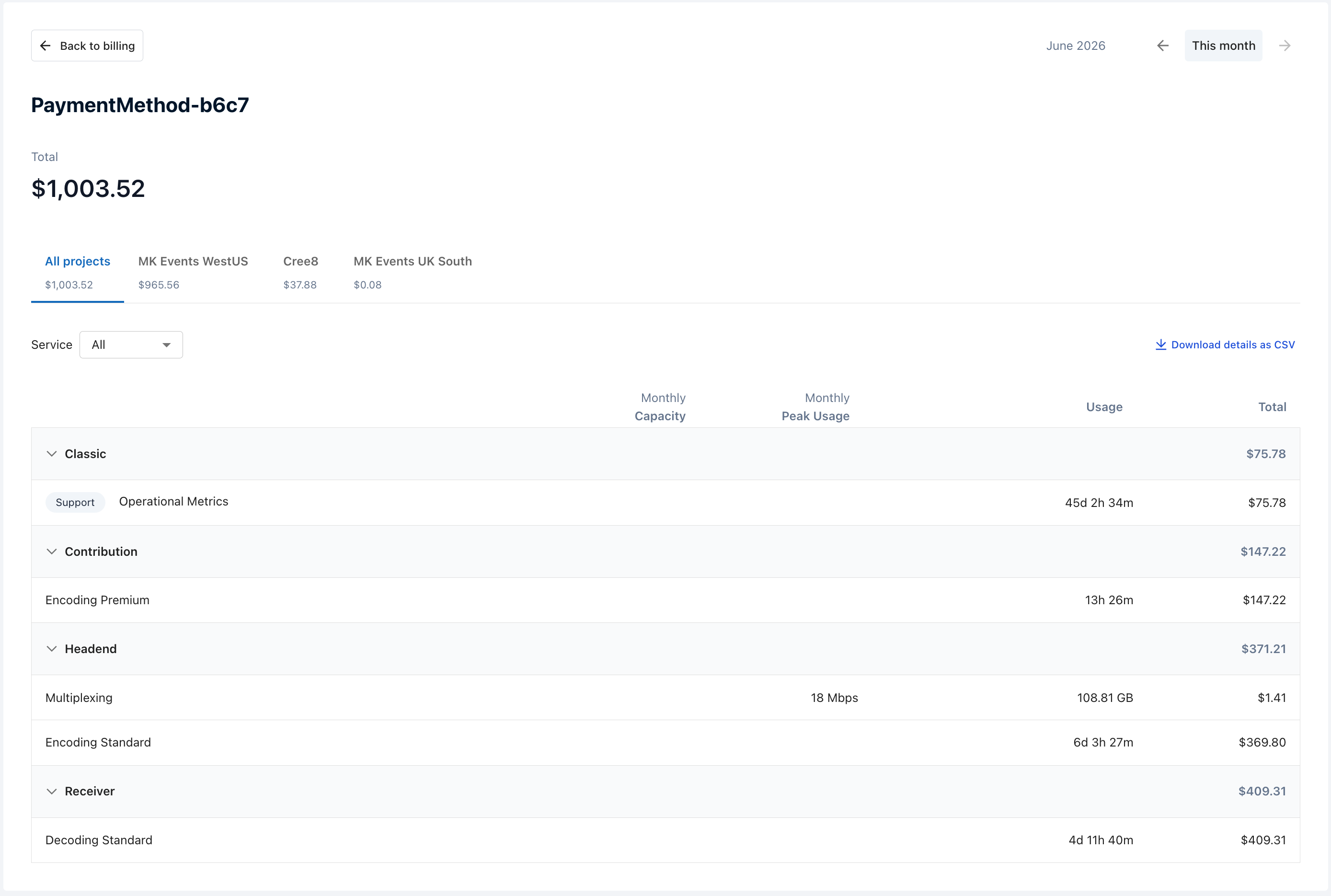
The payment method detail view includes:
- Month navigation, including This month.
- Project tabs, including All projects and one tab for each project associated with the payment method.
- A Service filter.
- Service groups and meter rows with monthly capacity, monthly peak usage, usage, and total columns.
- Download details as CSV for the selected view.
View daily meter details
Section titled “View daily meter details”Select a meter row to open the daily detail view for that meter.
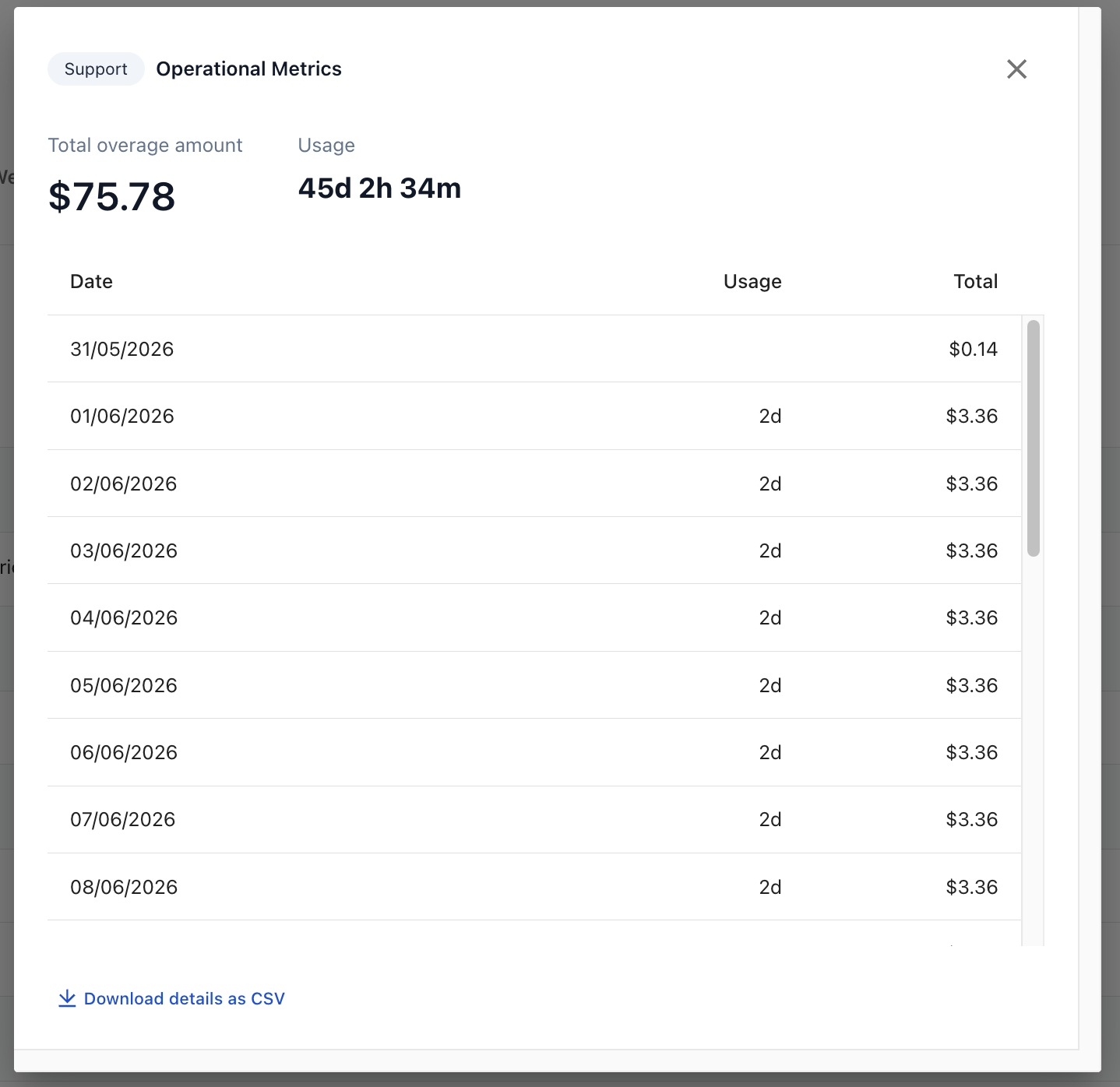
The daily detail view shows the total overage amount, total usage, daily rows, and a separate Download details as CSV link.
A monthly detail view can include usage from a previous month when that usage was reported during the selected month.
Change Beam billing model
Section titled “Change Beam billing model”Administrators can edit the Beam billing model for a payment method.
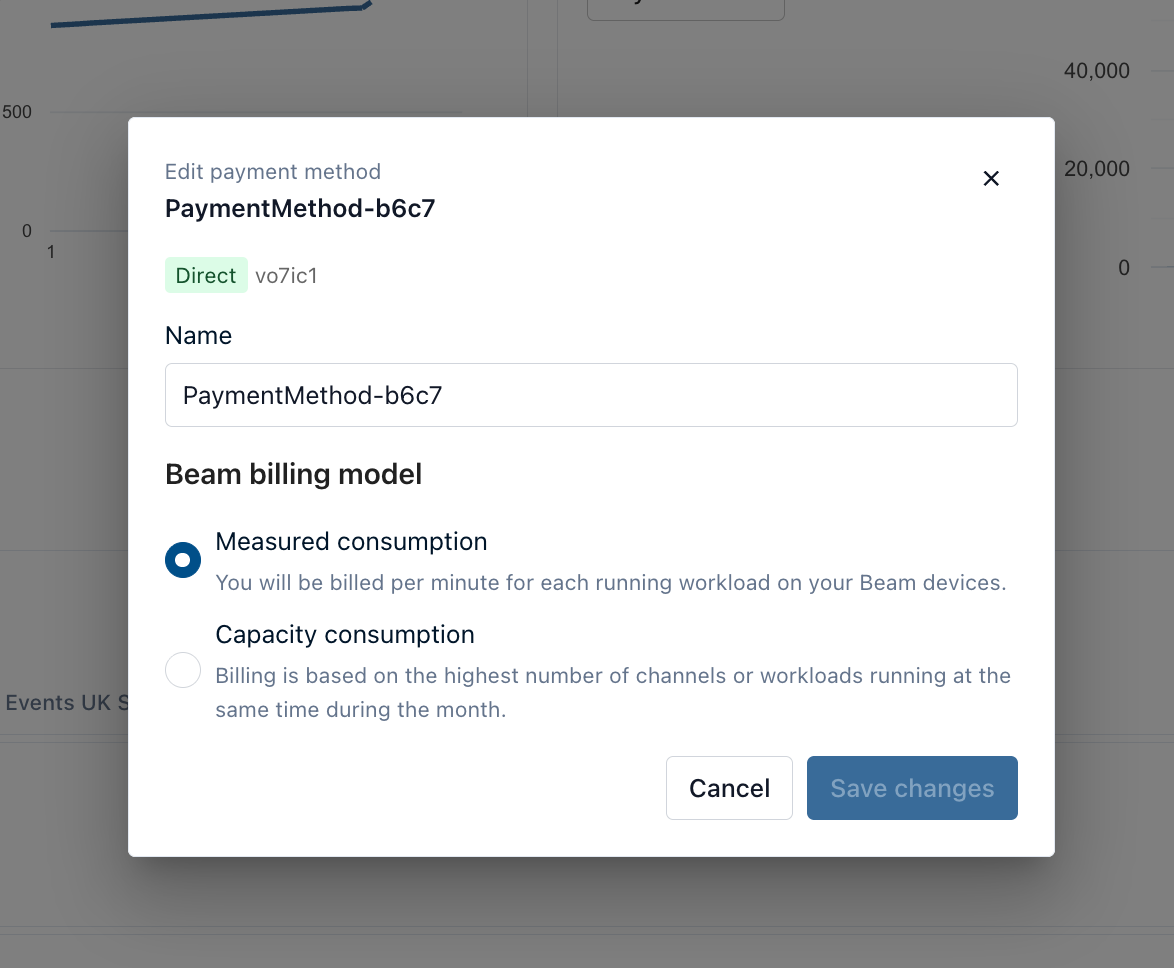
- From the billing overview, open the three-dot menu for a payment method.
- Open Edit payment method.
- Under Beam billing model, select one of the following options:
- Measured consumption: overages are billed per minute for each running workload on Beam devices. This is the default model.
- Capacity consumption: billing is based on the highest number of channels or workloads running at the same time during the calendar month. Additional entitlements are valid for the current calendar month.
- Select Save changes.
The Beam billing model setting does not affect MK.IO cloud services.
The Beam billing model choice applies to Beam contribution, reception, and encoding meters. Throughput meters, such as multiplexing and packaging, are always charged by usage, even when Capacity consumption is selected. Enterprise License Agreement (ELA) usage is also an exception: usage above purchased capacity is handled as additional capacity for the month.
Measured consumption can be more suitable for short overages. Capacity consumption can be more suitable when additional channels or workloads run for longer periods.